SAP Commerce Cloud (Hybris) to Shopify Plus Migration: Cost, Timeline and What Stays in SAP

By Robin Laseur
Your commerce team wants faster releases. Finance wants to keep SAP. Operations wants proof that contract prices, credit checks and warehouse orders will still work. Those requirements are compatible, but only if the migration separates the storefront from the business processes behind it.
A SAP Commerce Cloud to Shopify Plus migration replaces the commerce platform, not necessarily the SAP ERP. Products, customers and selected history move into a new commerce model, while pricing, inventory, credit and fulfillment may remain in SAP. The critical work is rebuilding those connections and proving complete buying journeys before launch.
This guide covers that boundary: when to migrate, what must be rebuilt, how to budget the work and how to switch platforms without leaving the order process unfinished.
Should you migrate from SAP Commerce Cloud to Shopify Plus?
Migrate when the current commerce implementation restricts the changes your business needs and Shopify Plus can support the required buying journeys at an acceptable total cost. Stay when SAP Commerce fits those journeys well, or when recreating essential rules elsewhere would outweigh the operational benefit of changing platforms.
The strongest business case starts with evidence from your own operation. Measure how long a promotion, product launch or market rollout takes. Review maintenance costs, production incidents, manual order corrections and the engineering work required for ordinary merchandising. Separate platform constraints from approval delays and poor data ownership.
Shopify Plus can be attractive when the team wants more commerce work handled through supported platform configuration, themes and apps. That advantage shrinks if every customer interaction requires a bespoke service recreating the old implementation. Evaluate the target operating model, not a storefront demonstration alone.
SAP Commerce remains a credible option for complex businesses. SAP describes its current product as supporting B2B, B2C, complex catalogs and composable storefronts. A move to Shopify is therefore not automatically a move from an obsolete, non-headless platform to a modern one. SAP’s Commerce Cloud overview explains those capabilities and the relationship to the historical Hybris name.
Hybris and Commerce Cloud: identify the actual source
“Hybris migration” can describe an older implementation or a team still using the historical name for its current commerce estate. Record the exact product version, deployment model, storefront technology, custom extensions and support arrangements before estimating the project.
Do not build the business case around a blanket claim that all Hybris or SAP Commerce deployments share one end-of-life date. Ask the SAP account owner to confirm the maintenance position for your version and contract. Support exposure can affect the schedule, but it does not prove Shopify is the correct destination.
When staying is the better decision
Stay, or postpone the move, if essential configuration, procurement or order processes cannot yet be reproduced on the target. The same applies when the current platform works well and the proposed migration merely moves an unresolved ERP, product-data or organizational problem.
The approval test is specific: which recurring constraints disappear, which new responsibilities appear, and who can operate the result? A credible proposal answers all three.
What stays in SAP after the commerce migration?
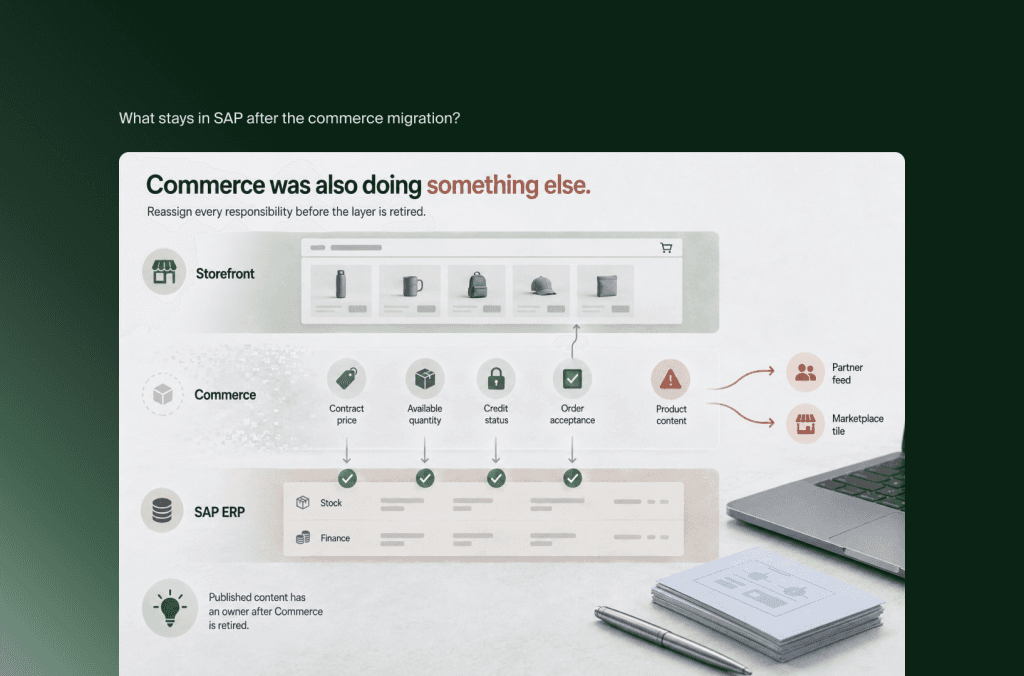
SAP ERP can remain responsible for finance, procurement, stock records and operational order processing while Shopify Plus handles the buying experience and order capture. The split must be agreed for each process and data object. Keeping SAP does not preserve existing commerce integrations automatically; the interfaces and business meanings still need validation.
Shopify distinguishes its customer-facing commerce role from the financial and operational role of ERP in its cloud ERP architecture guide. Use that distinction as a starting point, then inspect your actual implementation. A pricing rule might live in ERP, Commerce, middleware or a custom service.
Create an ownership matrix before deciding which connector to buy. The following is a proposed design pattern, not a description of every SAP installation.
The product-content row deserves attention. If Commerce currently supplies product enrichment to several channels, retiring it removes more than a shop. Assign that responsibility to an existing PIM, Shopify or another governed workflow before shutting down the source.
Record identifiers as carefully as ownership. SAP material numbers, customer accounts, sold-to and ship-to identifiers may differ from Shopify product, company and location IDs. Maintain explicit cross-references. A customer email address alone is not a reliable enterprise account mapping.
If an ERP transformation is also planned, compare sequencing options explicitly. Commerce-first needs an interface that can survive the later ERP change. ERP-first delays the storefront benefits. A combined cutover needs a joint rehearsal and recovery plan. Choose based on dependencies and team capacity, not a preference for replacing everything together.
How do SAP catalogs, content and custom code map to Shopify?
Migrate catalog meaning before catalog volume. SAP catalog versions, classification attributes, sellable variants and content workflows need explicit target designs. Product records can be transformed, but Commerce extensions and storefront components are not portable Shopify functionality. Assign each required behavior to native configuration, an app, an external service or a deliberate process change.
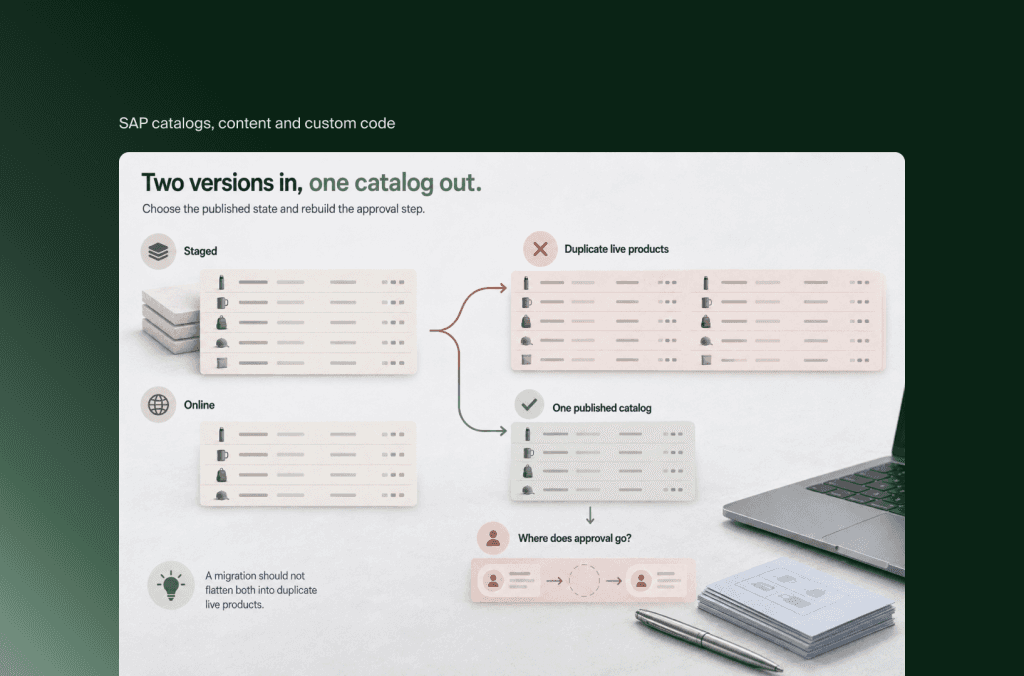
SAP documents separate catalogs and catalog versions, including Staged and Online versions. A migration should not flatten both into duplicate live products. Select the intended published state and define how approved but unpublished changes will enter the new workflow.
SAP’s ImpEx import/export facility can support extraction from the source. It is not a Shopify runtime or a complete migration specification. Exports still need dependency ordering, transformations, media handling, validation and an agreed treatment of records that should not move.
Test awkward products first: configurable items, multiple units of measure, replacement parts, localized specifications and products with extensive variant combinations. Shopify currently documents a maximum of 2,048 variants and three options per product, with compatibility caveats for themes, apps and channels. Those limits do not make a product configurator interchangeable with ordinary variants. Shopify’s variant documentation provides the current details.
Separate a buyer’s instruction from a sellable identity. An engraving note can be captured as additional information; a selection changing price, stock or manufacturing requirements needs authoritative handling beyond a text field.
For a headless source, decide whether the existing frontend is worth adapting. Retaining its visual design does not retain its SAP API contracts. A theme-based rebuild may reduce maintenance; a custom frontend may be justified by specific experience requirements. Neither approach removes the need to validate Shopify checkout and backend behavior.
Can Shopify Plus reproduce SAP B2B pricing and purchasing rules?
Shopify Plus is a candidate for SAP B2B migration, not a guarantee of identical behavior. Validate company structures, customer-specific catalogs, approvals, credit controls, procurement and pricing separately. The hardest question is whether the correct buyer can place the correct order under the same commercial restrictions, including when an upstream system is unavailable.
SAP’s B2B organizational model includes units and related structures such as budgets and cost centers. Do not assume an organization tree can be imported directly into Shopify companies and locations while retaining every permission and approval relationship.
Build tests around real purchasing roles: a local buyer, a regional approver, a central procurement user and an account on credit hold. Include buyers operating across several ship-to addresses. Mark each requirement as native, configured, externally enforced, redesigned or not supported by the proposed solution.
Why Plus, rather than a standard Shopify plan?
B2B itself is no longer a sufficient explanation. Shopify’s current documentation lists B2B foundations across Basic, Grow, Advanced and Plus. Plus-specific differences include unlimited B2B market catalogs, direct catalog assignment to companies or locations, and advanced payment features. Check the B2B plan matrix against the requirements instead of relying on older comparisons.
Checkout requirements can also determine the plan. Shopify documents Plus-only access for apps customizing the information, shipping and payment pages, and for custom apps built with Shopify Functions. These are defined extension points, not unrestricted access to recreate SAP checkout code. Shopify’s checkout app comparison explains the boundaries.
Prove the transaction, not just the displayed price
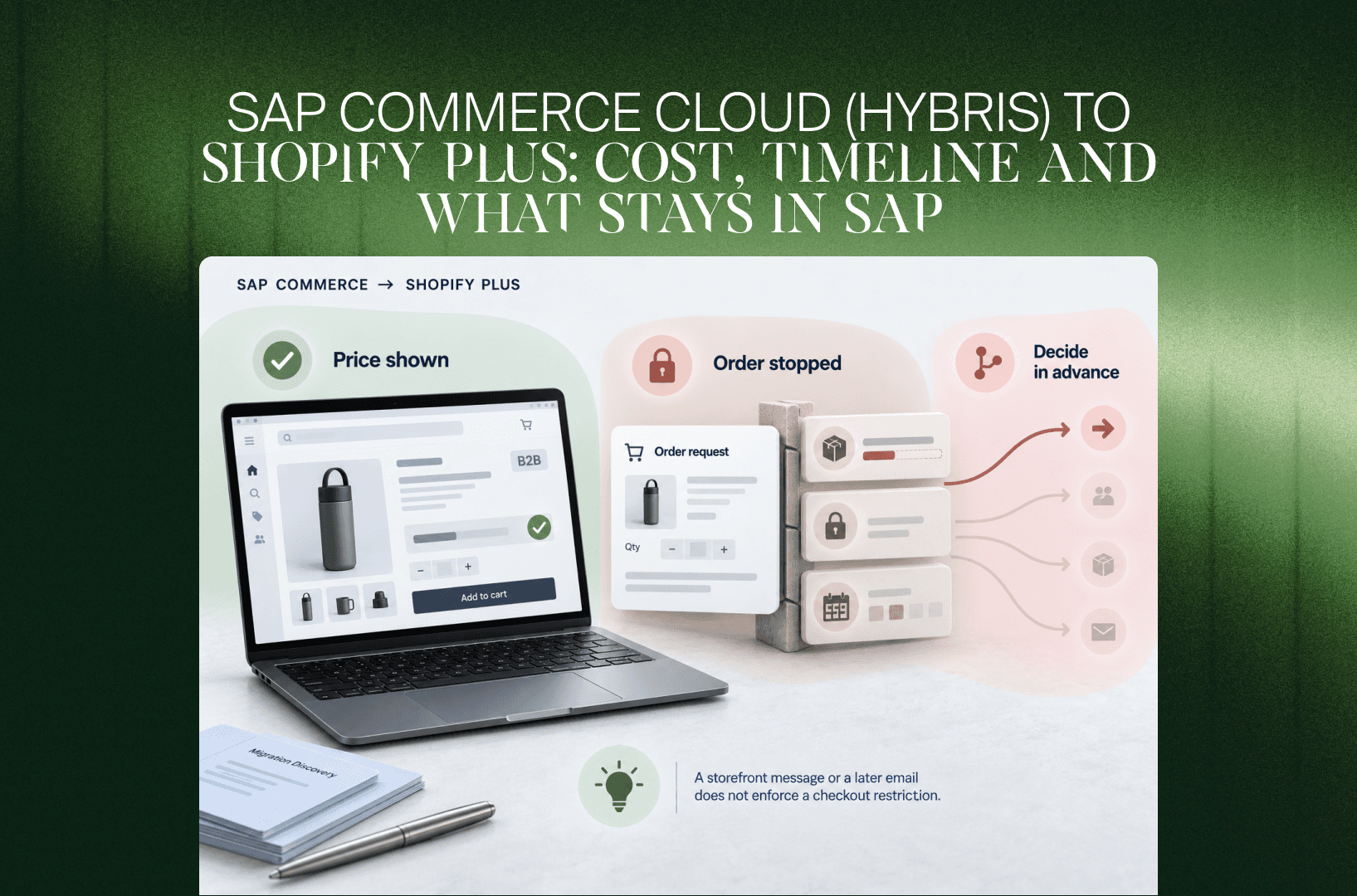
Consider a hypothetical distributor. A buyer sees a contract price of €42 per unit and requests 200 units. SAP has 150 available for that account, and finance has placed the account on credit hold.
Showing €42 on the product page proves only one part of the journey. The target must also produce the approved quantity response, respect the credit restriction and avoid an incorrect payment or fulfillment instruction.
Choose the permitted behavior in advance: reject the order, route it for review, offer a partial quantity or provide another agreed path. Whether that behavior can be enforced at the required step is an implementation feasibility test. A storefront message or a later email does not enforce a checkout restriction.
Test quantity breaks, contract expiry, currency, tax treatment, promotion interactions, minimum quantities and ordering increments. For punchout or CPQ, trace the complete procurement journey, including the return to the purchasing system and the authoritative order reference. Listing an app in the proposal is not proof that the journey works.
How should Shopify Plus connect to the retained SAP systems?
Design each integration around its business contract: who owns the data, how quickly it must arrive, what identifies it and what happens when delivery fails. A connector can provide transport and mappings, but it does not decide price authority, order acceptance or recovery behavior. Those decisions belong in the migration scope.
Inventory the existing interfaces, including scheduled files and manual uploads. Identify which are attached to Commerce-specific objects and which can be reused. Evaluate the team’s existing middleware before introducing another integration platform; include the operational cost of supporting whichever approach is chosen.
Distinguish replicated data from decisions requiring a timely authoritative response. Periodically published descriptions can tolerate a different delay from a credit restriction. A stock quantity is not necessarily a delivery promise. A successfully submitted order is not necessarily an accepted sales order.
For every flow, document:
Source, destination and the business owner responsible for correctness.
Identifiers, transformation rules, schema versions and unit conversions.
Freshness requirements and behavior when data is stale or unavailable.
Duplicate detection, retry handling and a safe route for failed records.
Reconciliation, alert ownership and instructions for operational recovery.
Shopify warns that webhook delivery is not always guaranteed and recommends reconciliation jobs. Event handling should therefore include a way to detect missing updates, not simply a successful webhook demonstration. See Shopify’s webhook guidance.
Test failure deliberately. Submit an order while SAP is unavailable, repeat an already processed message and restore service after a backlog. Check that the order is not duplicated, stock is not reduced twice and customer communication reflects the real state.
Do not assume arbitrary real-time ERP calls can be inserted wherever desired in checkout. Prove the available extension points, latency constraints and fallback behavior with the selected implementation. If the required control cannot be enforced, redesign the journey or reconsider the platform fit before full development.
What data should migrate, and what should remain accessible elsewhere?
Move the data needed to sell, serve customers and operate the new platform. Retain other records in an agreed archive or system of record when importing them adds no operational value. Products, customer profiles, B2B relationships, open transactions and historical orders need different migration methods, validation rules and ownership decisions.
Define separate treatments for active products, discontinued products with search demand, active accounts, inactive accounts, historical orders, open orders, returns, credits and outstanding quotes. A single “all data” promise hides those distinctions.
An imported historical order is not proof that its payment, fulfillment or refund lifecycle can continue in Shopify. Decide where pre-launch returns will be processed and which payment provider can refund the original transaction. Keep source order references visible to customer service and reconcile totals against the operational system of record.
Customer identity needs its own plan. Shopify explicitly states that passwords cannot be migrated from another store through a customer CSV. Select and test the target sign-in experience, account matching and customer communication. Do not promise password continuity based on profile import alone. Shopify’s customer import documentation sets out that limitation.
For saved payment methods or subscriptions, confirm the supported transfer process with the payment provider and target application before committing to continuity. A customer record does not contain a portable payment credential.
Run at least one representative rehearsal before the final import. Compare record counts, required fields, relationships and financial totals where relevant. Keep an exception register with a named owner and resolution, rather than accepting a percentage-success headline that leaves the hardest accounts unresolved.
How much does a SAP Commerce Cloud to Shopify Plus migration cost?
The cost is driven by the functionality being replaced, the interfaces being rebuilt and the proof required before launch. Estimate discovery, storefront work, data transformation, SAP integration, B2B behavior, testing and handover separately. Compare the resulting implementation budget with ongoing platform, application, integration and support costs rather than subscription fees alone.
There is no defensible universal price for “Hybris to Shopify.” A primarily D2C storefront retaining a stable ERP is a different project from a multi-entity B2B estate with live contract pricing and procurement integrations.
The following is an illustrative budgeting exercise, not a market benchmark, Flatline price list or quotation. Assume one storefront, a retained ERP, a bounded catalog, a defined B2B scope and no simultaneous ERP replacement.
At an assumed blended rate of €120 per hour, that model produces €120,000–€216,000 in delivery effort. Adding an illustrative 15% contingency produces €138,000–€248,400. Replace both the hours and rate with scoped supplier estimates; the arithmetic is useful, but it does not establish your project’s likely price.
The example excludes subscriptions, transaction and payment charges, taxes, internal staff time, ERP licensing changes, ongoing support and extended dual running. It also excludes a new CPQ implementation, a separate headless frontend and additional storefront rollouts. Any of these can change the budget materially.
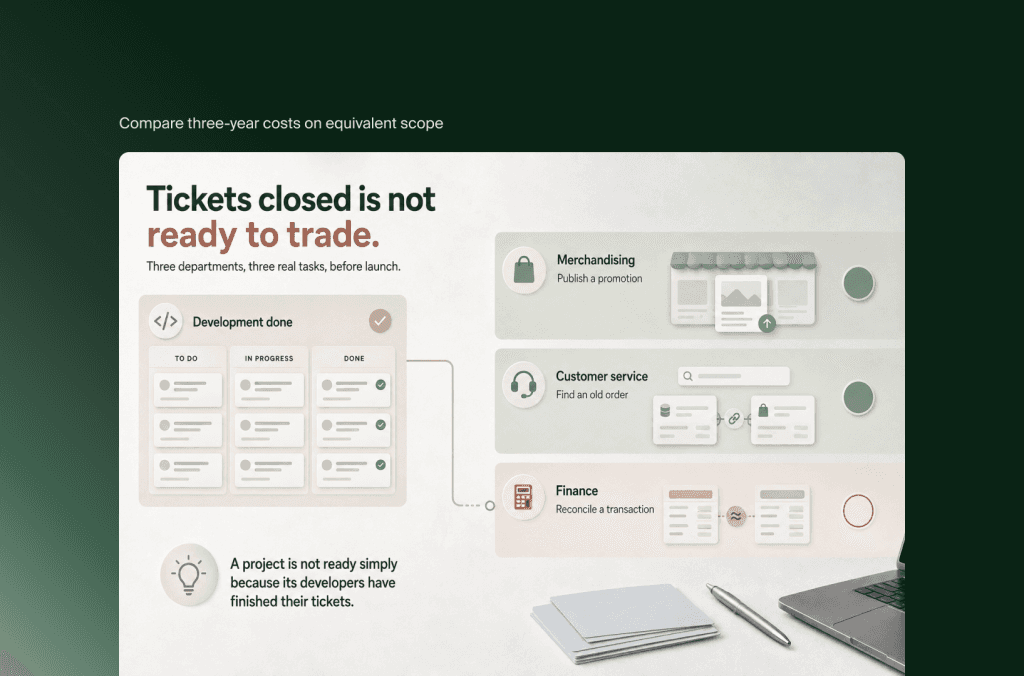
For the business case, compare three-year costs on equivalent scope: implementation, overlapping contracts, Shopify, apps, middleware, monitoring, support and retained SAP services. Deduct only SAP costs that can actually be retired. Keeping Commerce active as a product-content or integration dependency prevents some expected savings. Flatline’s ecommerce TCO guide provides the broader cost framework.
How long should you allow for the migration?
Build the timeline from dependency completion, not product count alone. Source access, SAP interface readiness, B2B feasibility, data quality and business approval can determine the launch date. A calendar estimate becomes credible only when each phase has an owner, available participants and measurable exit criteria that allow the next phase to begin.
For illustration, the bounded project described above could be planned across 24 weeks. This is a scheduling example, not a typical-duration claim or delivery commitment. The effort budget and elapsed calendar measure different things: several specialists may work in parallel, while access, reviews and approvals create waiting time.
Work can overlap once dependencies are stable. It should not overlap by assuming unresolved pricing rules or unavailable SAP endpoints will somehow be ready when testing starts.
A phased rollout can reduce the first release’s scope, but choose a genuinely separable brand, market or customer group. Splitting channels that share contracts, inventory allocation and service teams can introduce more complexity than it removes.
Include commercial deadlines in the same plan: SAP renewal and notice dates, peak trading periods, warehouse freezes and the availability of ERP specialists. A technically ready storefront cannot launch safely without the people who can validate and recover its backend processes.
How do you protect SEO and control the cutover?
Protect the migration by testing both discoverability and transaction continuity. Map valuable URLs, retain useful content, validate redirects and monitor indexing. Separately rehearse the final data delta, interface handover, order reconciliation and recovery decision. A functioning homepage is not enough evidence that the new commerce operation is ready to take orders.
Build the URL inventory from crawls, sitemaps, analytics, Search Console and linked legacy pages. Include product pages, categories, localized pages, editorial content and valuable documents. Map each important source URL to the closest relevant destination rather than sending everything to the homepage.
Validate redirects, internal links, canonicals, language annotations, structured data and indexability on the rendered target. Preserve content supporting product discovery and buying decisions. Google notes that site moves can cause ranking fluctuations while URLs are recrawled and reindexed; no migration plan can guarantee unchanged rankings. Follow Google’s site-move guidance.
Rehearse the handover as an order-processing event
Define the last authoritative source write, the final export window and the moment new orders begin entering Shopify. Reconcile late orders and updates rather than assuming a content freeze stops all transactional activity.
Prevent old and new integrations from processing the same order or inventory adjustment twice. Confirm which system handles open carts, quotes, pre-launch orders and returns. Test the exact launch sequence in the rehearsal, including customer messages and suppressed duplicate notifications.
Set objective go/no-go criteria
Agree release gates before launch pressure builds:
Critical buying scenarios pass, including restricted accounts and integration failures.
Product, customer and order mappings reconcile against agreed acceptance criteria.
Payment, order acceptance, fulfillment and refund responsibilities are explicit.
Valuable URLs resolve correctly and the live site is crawlable as intended.
Monitoring, recovery access and named business decision-makers are available.
A rollback is not simply a DNS reversal. Once Shopify has accepted orders, captured payments or triggered warehouse activity, the recovery plan must account for those transactions. Define the rollback decision window, the responsible person and when forward repair is safer than switching back.
Keep the old environment available only for the agreed recovery and access needs, with controlled writes. Retire it after dependencies, retained records and support processes have been signed off. Otherwise, the organization can end up paying for two commerce platforms indefinitely.
With SAP ERP staying in place, the real question may be whether the commerce layer needs replacing at all, so if you are still deciding whether to replatform, rebuild or hold, start there. If Shopify Plus is the answer, our Shopify migration service plans the SAP integrations, B2B pricing and cutover as one program.
Frequently asked questions
Can we keep SAP S/4HANA or SAP ECC when moving to Shopify Plus?
Yes. Replacing SAP Commerce does not inherently require replacing SAP ERP. The retained ERP can continue owning financial and operational processes while Shopify handles commerce. However, verify the exact ERP version, available interfaces, middleware and support arrangements. Existing Commerce integrations need review; retaining ERP does not make the connections unchanged.
Can a migration app move the entire Hybris implementation?
No. A migration tool can help transfer supported records, but an entire implementation also contains business rules, custom extensions, content workflows and integration behavior. Those require assessment and target designs. Judge a tool by the entities, relationships, transformations, retries and validation it supports, not a promise to move everything automatically.
Do we need to rebuild the website design?
The implementation needs rebuilding or adaptation, but the visual identity does not have to change. Existing design assets and approved content can inform the new storefront. SAP-specific templates, components and API connections cannot be assumed to work on Shopify. Separate essential technical adaptation from an optional redesign when estimating cost and time.
Can we launch D2C first and move B2B later?
Yes, if the channels can be separated operationally. Check shared customer records, contracts, inventory allocation, order routing and service processes before choosing that sequence. Define temporary ownership rules and the cost of running both platforms. A phased launch is useful when it reduces dependencies, not merely when it divides the project into dates.
Will moving to Shopify Plus automatically reduce operating costs?
No. Savings depend on which licenses, environments and maintenance obligations can actually be retired, and which new expenses replace them. Include apps, integration support, internal effort and overlapping contracts in the comparison. Retaining extensive custom behavior or leaving SAP Commerce active for other responsibilities can reduce the expected financial benefit.
Key takeaways
Replace SAP Commerce only after proving Shopify supports the business-critical buying journeys.
Decide what stays in SAP, including price authority, credit control and order acceptance.
Treat catalog versions, B2B relationships and custom behavior as design work, not simple exports.
Estimate costs and timelines from scoped dependencies, with explicit assumptions and exclusions.
Launch only after data, SEO, transactions and recovery procedures have passed their release gates.
If you would like help defining the commerce-side scope, speak with Flatline’s Shopify Plus team. Bring the current architecture, difficult buying scenarios and the SAP team’s constraints so the discussion starts with fit, ownership and a testable migration plan.
Related articles


