



What a migration plan covers
A migration is not an export-and-import job. Our plan covers an inventory of data, apps, integrations and custom work; URL mapping and redirects; product, customer and order migration; rebuilding or replacing integrations; analytics, consent and feed validation; functional, content and SEO QA; and launch with monitoring and a rollback plan. The goal is not to rebuild the old platform one to one, but to keep what has value and remove technical debt along the way.
PROVEN
RESULTS
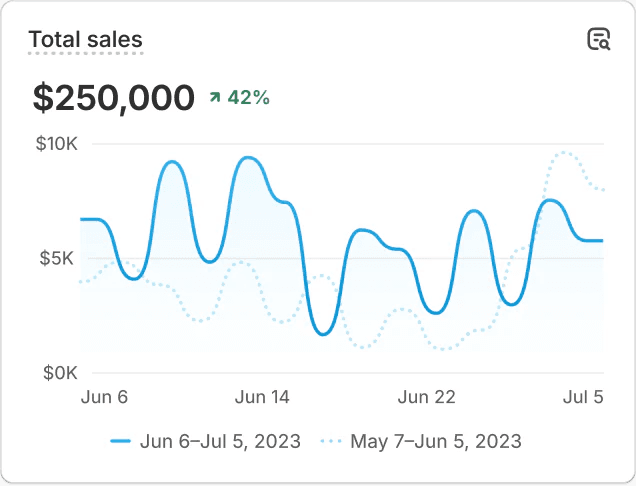
TOTAL SALES VS. PREVIOUS PERIOD


Which platforms we migrate from
We assess and run migrations from Magento and Adobe Commerce, WooCommerce, Shopware, Lightspeed, BigCommerce and custom-built platforms. Brands already on Shopify come to us too, when years of apps, theme edits and workarounds have made the store hard to change. In that case the move is not to a new platform, but to a cleaner Shopify architecture.
Magento and Adobe Commerce: complex attribute sets, multi-store setups and heavy custom modules that need a Shopify counterpart.
WooCommerce: plugin-based functionality, plus WordPress content that must be split between Shopify and the content model.
Shopware: custom plugins and a rich data model, where every extension needs a decision: rebuild, replace or drop.
Lightspeed: if the webshop is tied to Lightspeed’s POS, stock and in-store sales need a new setup too.
BigCommerce and custom platforms: the migration path depends entirely on how data, accounts and integrations were built.
Older Shopify stores: a rebuild on current Shopify features, with fewer apps and less custom code.
The source platform determines the route. Data models, customer accounts, order history, URL structures, extensions and integrations differ per platform, so we do not start from a universal checklist. First we map the current landscape. Then we decide what moves, what gets rebuilt and what stays behind. Whether you then need Shopify or Shopify Plus follows from that inventory.
What has to stay intact
Products are rarely just a title, a price and an image. Variants, metafields, collections, bundles, stock, multilingual content and B2B catalogues have to land in a Shopify data model your team can still manage after launch. We record which system owns each dataset, and which data moves once and which keeps syncing.
For customers and orders, decide up front which data you need legally, commercially and operationally. Not every historical field has to move to Shopify. It must be clear, though, where customers and your service team find information after the migration. Account activation, passwords, consent and customer communication get their own plan, tested on the source platform before anyone promises an unnoticed switch.
Integrations are where a migration usually gets tense. ERP, PIM, CRM, POS, WMS, fulfilment, subscriptions, finance and marketing tools must not only exchange data: errors have to be visible and reprocessable. For every connection, including your ERP integration, we define:
Source and destination of each data flow
Which system owns the data
How often data syncs, and what triggers the sync
How errors are logged, flagged and reprocessed
Which security and access rules apply
Who manages the integration after go-live
How we limit SEO risk
A platform migration usually changes URLs, templates, internal links, canonicals and content at the same time. Each of those can affect organic traffic. No agency can guarantee that rankings stay the same, and you should be wary of one that does. What a controlled process can do is prevent the damage that is avoidable.
Base redirects on a full inventory of indexable URLs, not only on navigation pages.
Send each old URL to the most relevant new page, never to the homepage by default.
Avoid changing URL, content, structure and search intent at once without a clear reason.
Keep strong internal links to important commercial pages, and check redirects for chains and loops.
Carry over or deliberately improve key content, metadata, canonicals, hreflang and structured data.
Submit new XML sitemaps and compare per query group and landing page, before and after launch.
Keep redirects active as long as users and search engines still reach the old URLs.
After launch we investigate a drop per template, folder, country and device rather than in total traffic, because that is where the cause shows. Pages without a relevant successor need a deliberate choice: consolidate, replace or remove. The technical migration is tied to a measurement plan, so every deviation quickly gets an owner. Once the numbers are stable, attention shifts to conversion optimisation and ongoing development.
How we run a migration
Migration audit. We map platform, data, templates, apps, integrations, content, SEO, analytics and internal processes. The result is a scope with decision points, risks, owners and dependencies.
Solution design. We define the Shopify architecture, data model, integrations and the role of standard features, apps and custom work. For international or B2B organisations, also the structure of stores, markets and catalogues.
Build and integrations. Storefront and integrations are built in reviewable parts. Critical integrations get test scenarios for normal processing, errors, delays and recovery, not only for the path where everything goes right.
Trial migrations. We run one or more trial migrations with representative data and measure duration, completeness, errors and manual fixes. That dress rehearsal makes the plan for the final cutover reliable.
QA and acceptance. We test real processes, not just pages: product updates, prices, stock, checkout, discounts, B2B orders, fulfilment, returns, account flows, feeds, analytics and customer service.
Cutover and monitoring. Data freeze, final sync, DNS, redirects and go/no-go owners are fixed in advance. After go-live we monitor orders, payments, integrations, tracking, 404s and key organic pages until everything is stable.
Migrations we delivered




Planning a move to Shopify?
Share your current platform, key integrations and timing. We reply with a first view on scope, risks and the route to Shopify, and suggest a short call to walk through it.


