



A PIM is a process, not a purchase
The software is the smallest part. What decides success is who enriches what, in which order, and when a product is allowed to go live. We design that workflow with your team, model the attributes per category and market, then connect it to Shopify and your feeds so the same data serves the storefront, the marketplaces and the ads.
PROVEN
RESULTS
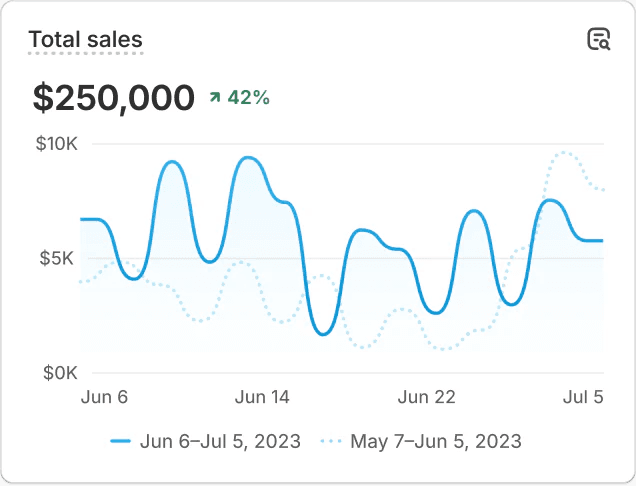
TOTAL SALES VS. PREVIOUS PERIOD



Who owns which product data
Most integration problems start with two systems that both believe they own the same field. Before connecting anything, we decide per attribute where it is created, where it is enriched and where it is only read. Typically the ERP owns article numbers, prices and stock, the PIM owns descriptions, specifications, images and translations, and Shopify owns merchandising: collections, sort order and content that only exists in the storefront.
ERP: article numbers, cost and sales prices, stock levels and logistics data
PIM: titles, descriptions, specifications, images, translations and channel-specific copy
Shopify: collections, product status, sales channels and storefront merchandising
Metafields: structured attributes such as material, care instructions or dimensions, typed and validated
Metaobjects: shared entries like size guides, ingredients or designers, maintained once and referenced by many products
Feeds: derived from the same data, never edited separately in a feed tool
The PIM connection and the ERP integration are designed as one data flow. That way a price update never overwrites a translated description, a new product only reaches Shopify once its required attributes are complete, and a sync error ends up in a log someone checks rather than on a live product page.
Choosing a PIM for Shopify
There is no best PIM, only one that fits your catalogue and your team. Akeneo, Salsify and Plytix are common examples. They differ in workflows and approvals, how they manage images and other assets, data modelling, pricing model and the maturity of their Shopify connector. A brand with a few thousand products and one content editor needs something different from a manufacturer with technical specifications in six languages.
We compare options on your own data, not on a feature list. How is a representative product modelled? How do variants map to Shopify options? How are translations and markets exported? And what happens when the connector runs into an API limit or a validation error halfway through a large update?
Sometimes the honest answer is that you do not need a PIM yet. Well-defined metafield definitions, a clear enrichment process and a spreadsheet import can carry a smaller catalogue for years. We say so when that is the case, and set up the metafields so a PIM can take over later without remodelling everything.
Markets, languages and channel feeds
Selling in several countries multiplies product data. With Shopify Markets you can vary language, currency, pricing and product availability per market, but the translated and localised content still has to come from somewhere. We connect the PIM so translations land on the right products, metafields and metaobjects in Shopify, and a missing translation is caught before a market goes live.
Translations per language, including content in metafields and metaobjects
Product availability and assortment rules per market
Google Merchant Center and Meta catalogue feeds from the same source
Marketplace exports with their own category and attribute requirements
Catalogues for Shopify B2B with their own assortment per company
Shopify’s standard product taxonomy and category attributes where they add value
Each channel receives the version it needs from one enriched record, mapped to that channel’s required fields. When Google or a marketplace rejects a product, the correction happens in the PIM rather than in a feed tool. That way the fix also reaches the storefront, the other markets and every future export.
How a PIM integration runs
Product data audit. We analyse a sample of products across categories: which attributes exist, where they live, how complete they are and which fields each channel and market actually requires.
Attribute model per category. We define families, attributes, validation rules and required fields per category and market, and decide which attributes become Shopify metafields, metaobjects or variant options.
Ownership and workflow. Per attribute we record the leading system and the person responsible. We design the enrichment steps and the completeness rules a product must meet before it can go live.
PIM selection or setup. Where no PIM is in place, we test the shortlisted options on real products. Where one exists, we review its configuration against the new model before building on it.
Connection and migration. We configure or build the connector, migrate and clean existing data, and test updates, deletions, translations and error handling with representative products, not only the happy path.
Go-live and governance. We switch channels over in a fixed order, monitor the sync logs and train editors. Afterwards we review completeness and errors periodically, so the model keeps pace with the catalogue.
Product data and integrations in practice



Let’s talk about your product data
Tell us where your product data lives today and which channels and markets it feeds. We reply with a first view on the right PIM setup and how it connects to Shopify.


