Connect Google Analytics 4 with the Shopify store

By Robin Laseur

Google Analytics 4(GA4) is a new version of Google Analytics.
The old version of Google Analytics (Universal Analytics) will expire in July 2023. Hence, if you are still using the old Google Analytics for your Shopify store, you should be hurry to switch to GA4.
What is Google Analytics 4(GA4)?
The commonly used access analysis tool is “Google Analytics,” but the version currently installed on many websites is called Universal Analytics (UA) which is announced to end in July 2023.
Therefore, the latest version of Google Analytics 4 Properties (GA4) will be mandatory for future site analysis.
So what will change with the transfer to GA4?
For example, even if a user’s behaviour crosses devices (e.g., from PC to smartphone app to purchase a product), which was not possible with universal analytics, it can now be determined that the user is the same user. GA4 is characterized by the ability to measure user behaviour within a site in greater depth than before.
Since it has been announced that “Universal Analytics” will cease measurement in July 2023, marketers and those in charge of access analysis will need to become familiar with GA4 in the future.
How to connect GA4 with your Shopify store
Connecting GA4 with your Shopify store is a must-do thing to analyze your webshop visitors. Let’s transfer to GA4 if you are still using the old Google Analytics!
Step1. Create Google Analytics Account
Create your Google Analytics account if you do not have one yet. This Google Analytics account can be the same as the account you are using for the old Google Analytics(UA).
Step2. Get your measurement ID
GA4 needs a unique measurement ID to track specific website visitor data.
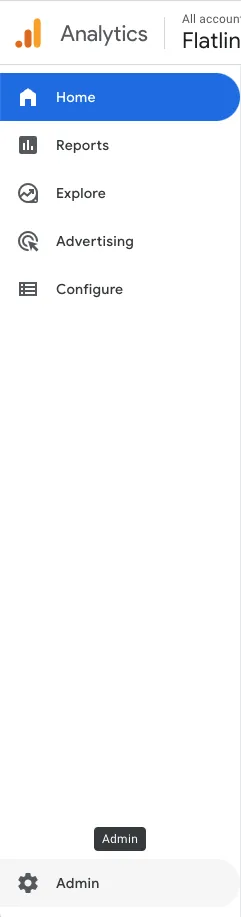
Go to the Google Analytics site, then click “Admin” on the bottom left.
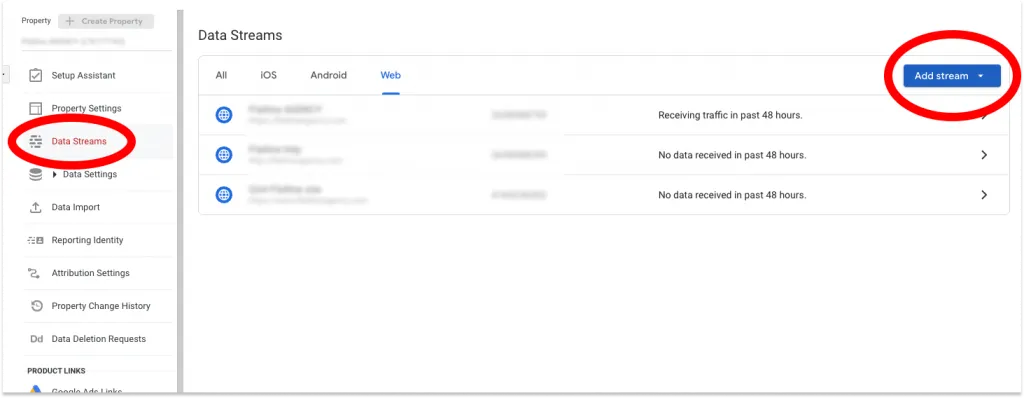
Select “Data Streams” under the Property section.
Then Click “Add stream” > Choose “Web”
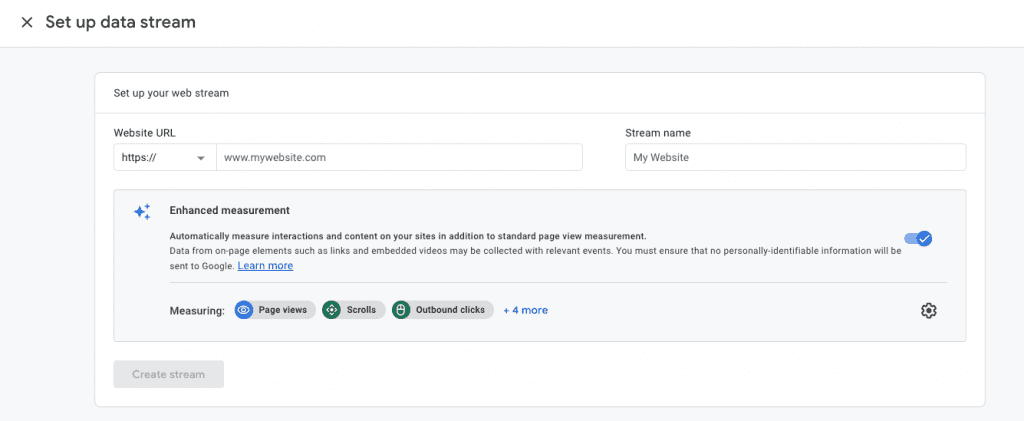
To get your measurement ID, provide the target website URL and its site name.
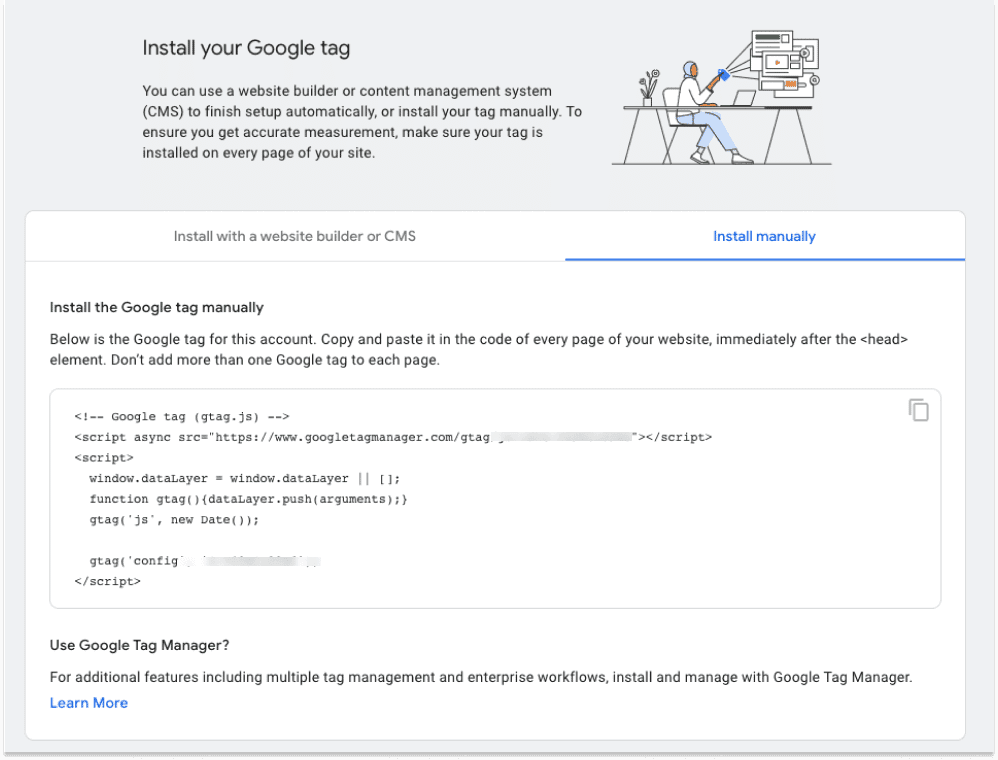
Select “Install manually”.
You can see the HTML code in this section that you suppose to put in Shopify.
Step3. Insert HTML code into the Shopify store
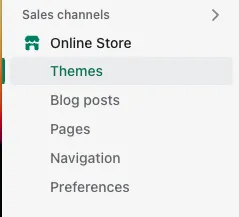
Open your Shopify store dashboard and find “Themes” under the Online Store tab.
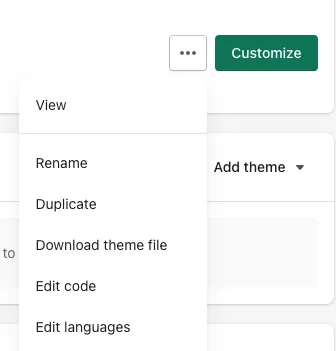
On the right side, click the three-circle button next to Customize and find “Edit code”.
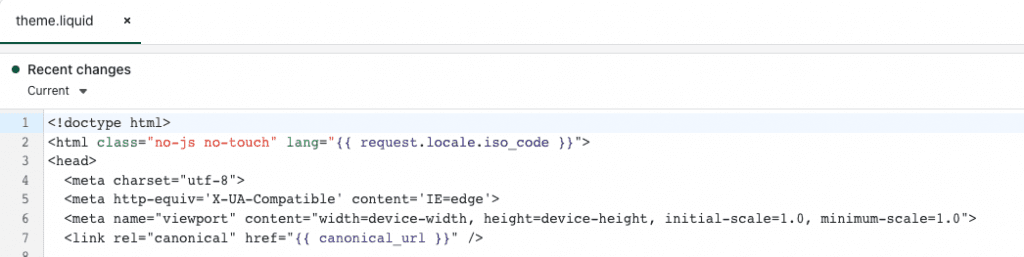
Copy the HTML code from Google Analytics 4 and paste it right under <head> in the theme.liquid file.
We’re all set! GA4 start tracking your website visitors as soon as you save this file. You can check if GA4 is working well or not by checking the real-time report.
Conclusion
Google Analytics 4 is a great way to get insights into your Shopify store. By connecting GA4 with your Shopify store, you can get even deeper insights into your business. As a full-service Shopify Plus agency, we make sure tracking like this is set up correctly the first time, so the data actually feeds real growth decisions. If you’re interested in Shopify development, contact us and we can help you grow your Shopify store. Thanks for reading!
Related articles


