Framer Spring Event 2025: Smarter Design with AI & Analytics

By Robin Laseur

Framer continues to set the standard in digital design with the Spring Event 2025, rolling out updates that help designers move faster, think bigger, and stay in control of their creative process. As an Enterprise Partner, Flatline Agency has seen first-hand how these new features, like AI-powered wireframing, enhanced vector editing, and built-in analytics are helping teams overcome everyday challenges in web design.
Framer’s latest updates are all about making design more efficient and flexible. Whether you’re prototyping with the new Wireframer, building interactive components with Workshop, or tracking results with native analytics, it empowers designers to launch websites that look great and perform even better. The entire platform is built to streamline your workflow, allowing ideas to move from concept to launch quickly, without sacrificing creative freedom.
With Framer, modern design teams can deliver high-quality, responsive web experiences that truly stand out. These new features make it easier than ever to bring bold ideas to life, optimize for real user needs, and stay ahead in a competitive digital landscape.
Framer Spring Event 2025: What’s new and why it matters
The Spring Event 2025 marks an important milestone for how digital products are designed and launched. Instead of small incremental updates, it introduces a cohesive set of AI-powered features that directly solve recurring challenges for designers and product teams. With every new capability, it narrows the gap between concept and execution.
This release introduces four standout innovations:
Wireframer: AI-generated, responsive layouts, perfect for rapid prototyping and ideation.
Workshop: Build and iterate custom components with conversational AI, turning ideas into production-ready elements without coding.
Advanced vector editing: Draw, manage, and animate icons or illustrations natively, no more switching tools or formats.
Integrated analytics: Built-in A/B testing, funnel tracking, and performance insights, so design decisions are always data-driven.
Beyond new features, the platform itself is evolving rapidly. Over 30% of Y Combinator startups now launch their products with Framer. The Marketplace has grown to over 200 plugins since last fall, with major payouts to template creators every month. Since the last event, it has rolled out more than 35 significant platform updates, demonstrating real momentum and a deep commitment to the design community.
At its core, the vision is about empowering designers to work faster, smarter, and with fewer dependencies. The latest AI tools (Wireframer & Workshop) keep designers in full creative control while unlocking technical capabilities that once required developer support. Best of all, these updates are already live and ready to use.
For design teams, this means more possibilities, more flexibility, and a stronger foundation for building standout digital experiences.
Wireframer: AI-powered layout generation for Fast, efficient design
Designing a website often begins with structuring the layout, a task that can be time-consuming and repetitive. Framer Wireframer simplifies this process by utilizing AI to generate responsive, well-organized layouts based on simple prompts.
Instead of manually setting up grids and adjusting for responsiveness, designers can input a brief description, such as “a landing page for a new app,” and Wireframer will produce a clean, adaptable structure ready for customization.
Accelerating prototyping and ideation
With Framer Wireframer, the initial stages of design become more efficient. Designers can quickly prototype various concepts, allowing for rapid iteration and exploration of different ideas without starting from scratch each time.
Versatile use cases
Landing pages: Generate conversion-optimized layouts swiftly, tailoring them to specific campaigns or products.
Portfolios: Showcase work with automatically structured grids and sections that highlight projects effectively.
Blogs: Create content-focused designs that balance readability with aesthetic appeal, ensuring a pleasant user experience.
Built-in responsiveness
A significant advantage of Framer Wireframer is its inherent responsiveness. The AI-generated layouts are designed to adapt seamlessly across various devices, eliminating the need for extensive manual adjustments between desktop and mobile views. Want to see how it works in practice? Check out the Framer Wireframer demo below.

Workshop: Creating custom components with AI for maximum flexibility
Developing interactive components is often a bottleneck in the design process, especially for designers who want to experiment without getting into complex code. Framer Workshop makes this easy by allowing you to create advanced, production-ready components simply by describing what you want to build, all within the design interface.
From concept to real component, no coding required
With Framer Workshop, you can turn plain language instructions into fully functional elements. Describe features like a tab section, cookie banner, or even a 3D hover card, and Workshop brings it to life in seconds. This approach lets designers experiment with ideas rapidly, make real-time adjustments, and iterate on the fly, all without leaving the design environment.
Where Workshop makes an impact
Interactive UI elements: Build modals, accordions, or tooltips to enhance usability and engagement.
Dynamic displays: Easily add components that showcase stats, progress, or data visualizations in line with your content.
Brand-centric animations: Quickly prototype interactive banners or animated details that reinforce your brand’s identity.
By removing the barriers between design and functionality, Framer Workshop empowers teams to test, refine, and launch new ideas with speed and confidence. Every component is generated with property controls for easy customization, so it fits seamlessly into your existing design system. For components that need custom logic beyond what Workshop's AI can generate, our custom development team builds bespoke functionality that plugs directly into your Framer site. For a practical demonstration of Framer Workshop’s capabilities, check out this demo video.

Advanced vector editing: Designing and animating without boundaries
Custom icons, illustrations, and detailed graphics often mean juggling between multiple design tools. Framer’s advanced vector editing brings the entire process into one place, making it easy to draw, refine, and even animate vector shapes directly within your Framer project.
All-in-one illustration and animation
The new vector editing features let you create and update icons, build illustration sets, or tweak logos, all natively inside Framer. You can organize your work with vector sets, quickly make updates, and keep your visual assets consistent as your brand evolves.
Animation is now part of the workflow. With the option to animate vector strokes, adjusting length, gap, or offset, you can add movement to graphics like logos and buttons, helping your designs stand out without leaving the design environment.
Real benefits for designers and teams
Consistent design systems: Organize and update icon libraries or custom illustrations efficiently, keeping your visual language sharp and on-brand.
Interactive branding: Animate logos and graphics to create a memorable experience for users, all managed directly from your design file.
No more tool switching: Skip the export-import hassle and keep everything editable in one workflow, from idea to delivery.
To see these vector editing and animation features in action, check out this video.
Integrated Analytics: Turning insights into better design decisions
Making a great website is only half the challenge, knowing how people actually use it is what turns good design into something truly effective. The new analytics features make it simple for designers to measure, test, and refine their work directly from the platform.
Deeper understanding, no extra tools
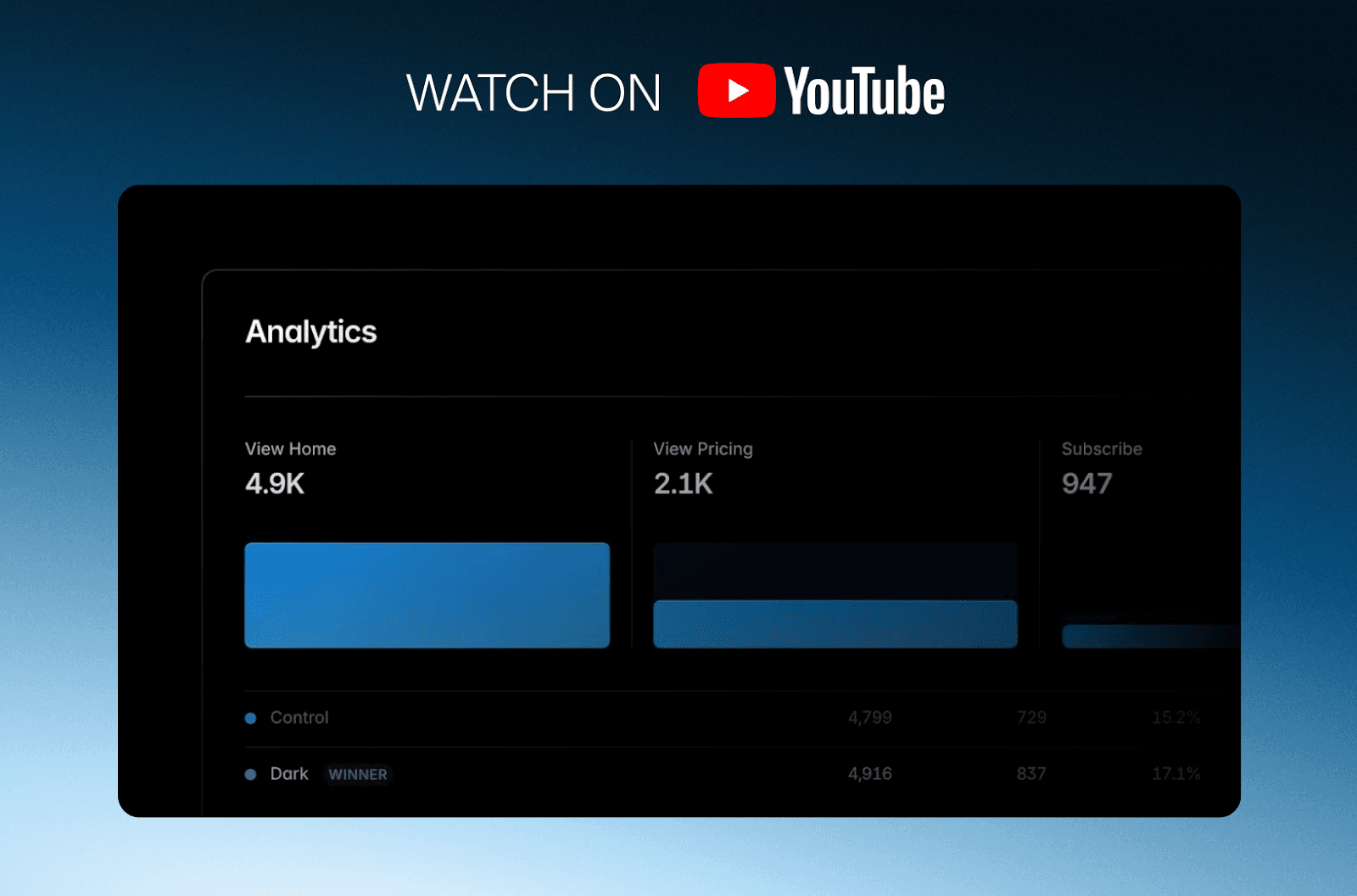
Framer’s analytics let you track how users interact with your site, think click tracking, funnel analysis, and A/B testing, all without relying on third-party integrations. You can instantly assign unique tracking IDs to key buttons (like “Get Started”) and monitor exactly how visitors are engaging, which helps spot friction points or high-performing elements in real time.
A/B testing: Test design variations on the fly and see which one delivers better results. Framer automatically monitors performance and can pick a winner when the data is clear.
Funnel tracking: Visualize user journeys, see where people drop off, and optimize conversion flows with precise, easy-to-read data.
Integrated dashboard: All your insights are available right inside your project, so you don’t have to switch between analytics platforms.
Designers stay in control
With these tools, designers can finally make data-driven decisions as part of their normal workflow. This means faster iterations, smarter updates, and websites that actually deliver on their goals. If you want to see how the analytics features work in practice, you can watch highlights from the video below, where real use cases and examples are shared. For a practical demonstration of Framer’s analytics features, watch this highlight video.
Conclusion
Framer Spring Event 2025 delivers more than just new features; it provides a complete toolkit for designers who want to work faster, smarter, and with greater confidence. By bringing together AI-powered layout tools, intuitive component building, seamless vector editing, and integrated analytics, Framer gives you the freedom to focus on what really matters: creating experiences that connect and convert.
These updates enable you to prototype and launch ideas quickly, refine details based on real user insights, and maintain full creative ownership from the first sketch to the finished site. For digital teams aiming to stay competitive, this all-in-one approach reduces barriers between vision and execution.
As a certified Framer Enterprise Partner, we help brands unlock the full potential of these tools, whether you’re starting from scratch or looking to upgrade your digital presence. If you’re interested in seeing how we’ve implemented Framer’s capabilities in real-world projects, explore our case studies for Swapfiets and Euronics.
Related articles


