10 AI design tools for brands to know in 2026

By Robin Laseur

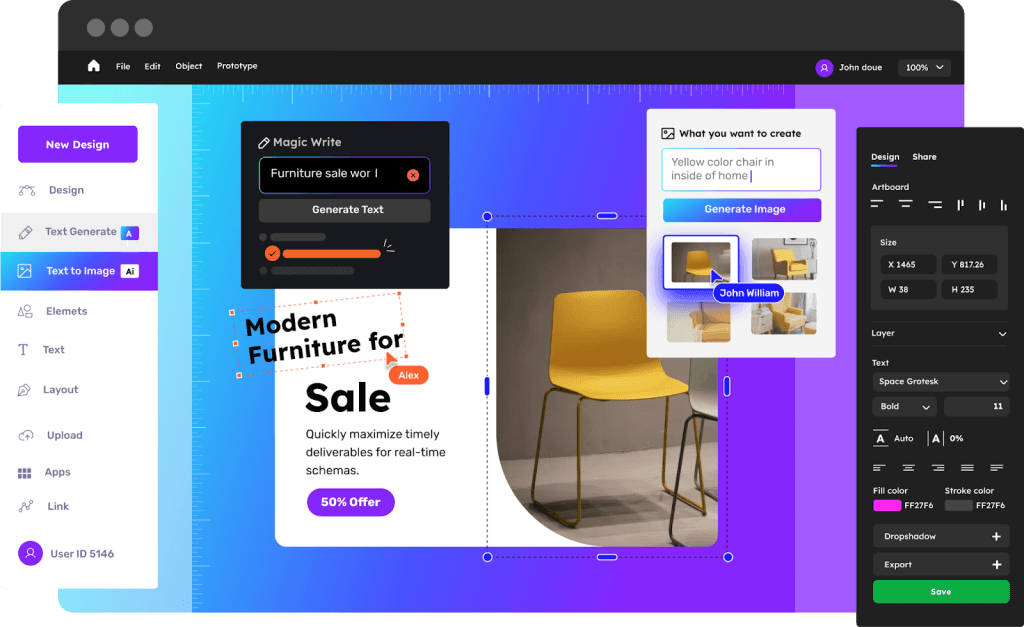
Design defines how customers experience a brand. From the first impression on a website to the quality of campaign visuals, design directly influences perception, trust and engagement. Yet for many teams, creating high-quality assets remains time-consuming and resource-heavy.
AI design tools for brands are changing that. They let creative teams build, test and launch visual assets faster, without giving up quality. AI now powers visual work as much as text and code, from product photography to page layouts and presentation design.
At Flatline, we see first-hand how AI reshapes creative workflows. Used with a clear direction, these tools speed up production while people keep making the decisions that shape a brand. In this article, we highlight 10 AI design tools for brands to know in 2026, from website builders like Framer to product photo platforms such as Pebblely. We reviewed the list in September 2026 and removed tools that have been discontinued or moved away from design work.
Why AI design tools matter for brands in 2026
Design has always been the foundation of how brands communicate value. It shapes the first impression, sets the emotional tone and builds credibility at every touchpoint. Yet the traditional process, with long timelines, multiple revisions and external dependencies, often slows momentum down.
AI design tools for brands ease that tension between creativity and speed. They take over repetitive design tasks, so teams can focus on ideas that connect.
Here’s how they make a difference:
Efficiency at scale. Instead of spending days producing visuals, brands can generate on-brand layouts, graphics and assets within minutes. Creative teams iterate faster and keep campaigns moving.
Professional quality without the overhead. AI-powered photography, enhancement and layout tools deliver studio-level results without heavy production costs. For brands with lean teams, that narrows the gap with larger competitors.
Room for human creativity. By automating technical and manual work, AI frees designers to focus on storytelling, brand consistency and visual identity, the parts AI cannot do for you.
At Flatline, we see this every day: AI is not replacing creative teams, it is making them faster. The brands that do well in 2026 combine AI-driven efficiency with clear creative direction.
How AI fits into branding and brand design
Branding is where AI is both overrated and underused. It won’t tell you what your brand stands for, but it is very good at the production work around a brand that has already been defined:
Exploring directions. Generate moodboards, color and style variations or rough concepts to discuss before a designer commits to one route.
Scaling a defined identity. Produce campaign variants, social formats and product visuals that follow your existing guidelines. Some tools, such as Adobe Firefly, let teams train a model on their own brand assets for exactly this.
Adapting assets. Resize, extend, upscale and localize visuals for every channel and market.
Where AI falls short is the core of a brand: positioning, tone of voice and the logo itself. There is also a legal reason to keep a designer on the mark. In January 2025, the US Copyright Office concluded that purely AI-generated material is not protected by copyright, and that writing prompts alone does not make you the author. Treat AI output for a logo or identity as a sketch that a designer develops further, not as the final asset.
That is the lens for the list below: tools that help brand teams produce more, faster, without losing control over how the brand looks.
AI website and UI tools for brands
A strong digital presence starts with design. For most brands, that means turning ideas into websites, campaigns and interfaces that feel consistent and high-quality, without slowing production down. These AI design tools for brands help teams move from concept to execution faster while keeping creative control.
1. Framer
Framer has grown from a design-first website builder into an AI website builder. You describe the page you need, and Framer’s AI generates editable pages, sections and visuals on the canvas, which you then refine by hand. It can also help manage CMS content and review a site for issues such as SEO gaps before you publish.
For brands, the key point is that the output stays editable and follows your own design system. Marketing teams use Framer to build landing pages and localized microsites in days rather than weeks. We build our own website in Framer for the same reason.
2. Uizard
Uizard turns text prompts, screenshots or rough sketches into editable wireframes and mockups. It is particularly useful for brand and product teams working on new features or testing interface layouts.
Outputs can start to feel template-based after a while, but Uizard remains a good starting point for exploring ideas and validating them quickly. It replaces the slow whiteboard-to-wireframe phase with instant visuals, so designers can iterate before committing time to full design work.
AI image generation for brand visuals
Visual storytelling sits at the heart of every strong brand identity. Image generators help teams create concepts, campaign backgrounds and social content from a text prompt. For brands, the question is not only how good the images look, but how well they match the brand and whether you can use them commercially.
3. Adobe Firefly
Adobe Firefly is Adobe’s generative AI platform for images, video and audio, with tools such as text-to-image, background removal and Firefly Boards for moodboards. Adobe describes its own Firefly models as safe for commercial use. The app also offers partner models from companies such as Google and OpenAI, so check which model you use for client work.
For brand teams, the most relevant feature is Firefly Custom Models. Businesses can train a model on their own brand assets, so generated visuals start closer to their look and feel across markets and channels. A brand with a distinctive illustration style or product look spends less time correcting generic output.
4. Bing Image Creator
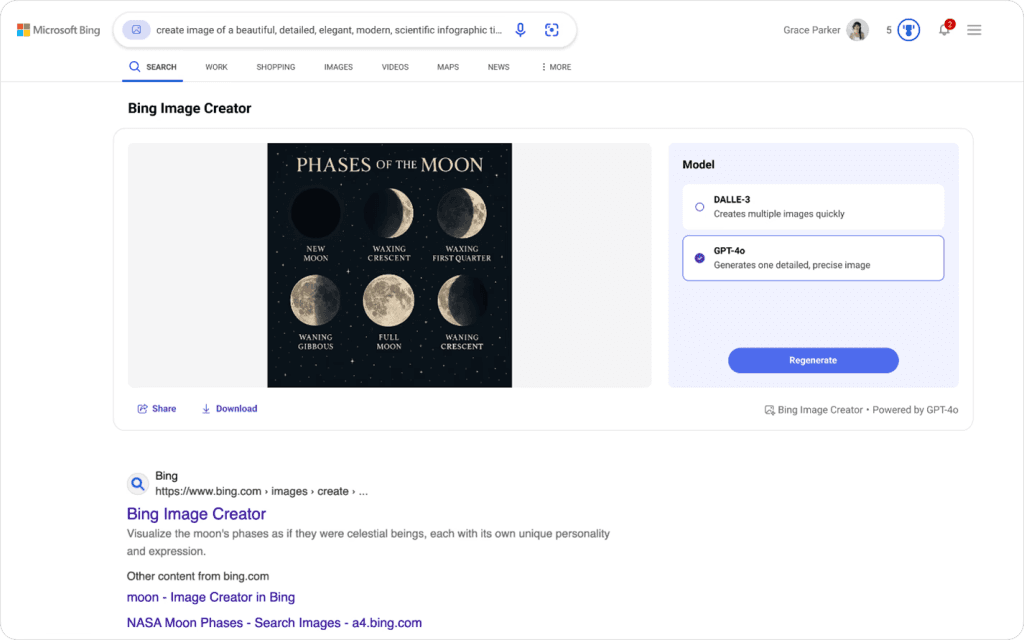
Bing Image Creator is Microsoft’s free image generator. It launched on OpenAI’s DALL-E, and since late 2025 Microsoft has been rolling out its own MAI-Image models in Bing Image Creator and Copilot. Whether you need a lifestyle background for an ad or a concept image for a presentation, it is a quick way to get there.
Brands use it to prototype creative directions before commissioning final artwork. Microsoft is bringing its image tools together in Copilot, and the Designer integration in Teams was retired in early 2026. Check the terms of use before you put generated images into paid campaigns.
AI presentation tools for brands
Presentations remain one of the most common ways brands share ideas, whether it’s pitching a campaign, reporting results or aligning teams. Yet building slides is tedious and often inconsistent. These AI design tools for brands help teams move faster while keeping every deck on-brand.
5. Plus AI
Plus AI works inside Google Slides and PowerPoint, so teams can generate, format and rework slides with prompts in the tools they already use. It can start from a prompt or from an uploaded document such as a PDF.
Brand marketers use Plus AI to turn campaign briefs or reports into structured decks in minutes. Instead of starting from a blank page, the AI proposes a structure, key takeaways and consistent layouts. Decks stay polished and on-brand, and preparation takes hours less.
6. Presentations.AI
Presentations.AI is built for story-driven decks. It turns a topic, document or URL into a full slide deck with a logical narrative, applies your branding and exports to PowerPoint. That makes it a good fit for sales, investor and brand strategy presentations.
Unlike static templates, Presentations.AI adapts the structure to your input. A brand team launching a new product can describe the story it wants to tell and get a coherent pitch with titles, visuals and a clear sequence. The team can then focus on the message rather than the formatting.
AI product photography tools for brands
Visual consistency builds trust. Whether it’s a lifestyle image on social media or a product banner on your website, strong photography turns attention into conversion. Traditional photoshoots take time, coordination and budget. AI photography tools let brand teams produce high-quality visuals faster, without waiting for a production schedule.
7. Pebblely

Pebblely lets brands upload a simple product image and generate styled lifestyle backgrounds in seconds. It is particularly useful for teams that need seasonal or social content on demand.
A skincare brand, for example, can reuse one studio image to produce themed variations for summer, the holidays or a minimalist campaign within minutes. With more than 100 templates and bulk generation, Pebblely also works for a larger product range.
8. Claid.ai
Claid.ai is a more extensive platform for product and fashion photography. It turns simple product shots into lifestyle scenes and on-model photos, and lets you define brand-specific backgrounds and styles.
Retailers and marketplaces use Claid.ai to improve lighting, fix backgrounds and keep a consistent visual identity without reshooting products. Its API makes it especially useful for large catalogs with hundreds of SKUs.
9. Pixelcut
Pixelcut brings AI photography to social media. It includes background removal and generation, upscaling, batch editing and product and lifestyle shots, all designed for fast visual experiments.
Many DTC and fashion brands use Pixelcut to create product campaigns for Instagram and TikTok, with room to experiment while staying visually consistent. The result is professional output that is ready for every platform.
AI tools that streamline design workflows for brands
Creativity sets a brand apart; efficiency keeps it going. Brand teams spend many hours on repetitive tasks such as resizing, cleaning up and upscaling visuals. Supporting AI design tools for brands handle these small but necessary steps.
10. LetsEnhance
LetsEnhance improves and upscales low-resolution visuals with AI. For brand teams reusing older assets such as product photos or campaign banners, it brings every image up to today’s quality standards. With color correction, restoration and an API for larger volumes, it helps keep visuals consistent across channels.
Background removal used to have its own place on this list with Remove.bg. Its standalone website closes on December 1, 2026, as the service moves into Canva. Claid.ai, Pixelcut and Adobe Firefly on this list all include background removal.
Top 10 picks that stand out for brand teams
With hundreds of AI tools launching every year, it is hard to tell which ones actually improve creative work. From Flatline’s experience helping brands bring AI into design and marketing, these ten stand out for their impact, reliability and creative flexibility:
Framer: for brand teams that want to build and iterate on websites quickly, with AI assistance and full design control.
Uizard: for rapid UI prototyping and concept validation, from idea to interface without a full design cycle.
Adobe Firefly: for brand-consistent image generation, with custom models trained on your own assets.
Bing Image Creator: a free way to generate concept images and lifestyle visuals from a text prompt.
Plus AI: for polished, on-brand decks inside Google Slides and PowerPoint.
Presentations.AI: for story-driven decks for investors, campaigns or product launches.
Pebblely: for lifestyle product photos at scale, without a studio.
Claid.ai: for consistent product and on-model photography across large catalogs.
Pixelcut: for fast, social-ready product visuals and batch editing.
LetsEnhance: for upscaling and restoring existing brand assets.
These tools show how AI can strengthen creativity instead of replacing it. Used with intent, they help brand teams keep both speed and craftsmanship, with automation supporting human decisions rather than overriding them.
At Flatline, we see this blend of creativity and technology as the future of brand design. The brands that master it will set the standard in 2026 and beyond.
Bringing AI design tools into your brand workflow
AI is no longer a future concept. It already shapes how brands design, communicate and grow. The question is not whether to use AI, but how to build it into your creative workflow with a plan.
The AI design tools for brands in this article show how automation and human creativity work together. From building websites with Framer to generating product visuals with Pebblely, these platforms simplify execution and give creative teams more room to experiment. What matters is how you implement them: aligned with your brand’s tone, goals and design system. For a closer look at Figma, Claude Design, Canva and Midjourney, read our overview of 5 AI design tools shaping creative workflows in 2026.
At Flatline, we see AI as a creative accelerator, not a replacement. Our team helps brands turn this technology into smarter workflows, stronger design systems and faster time to market. We build to The Luxury Standard, where creativity, precision and performance come together.
Discover how Flatline helps brands integrate AI into creative workflows, or explore our website services to see how design and technology come together to strengthen your brand.
Related articles


F.A.Q.

Can AI help with branding and brand design?
Yes, mainly in execution rather than strategy. AI tools produce on-brand layouts, campaign visuals, product photos and decks in minutes instead of days, and help you explore moodboards and style directions. Positioning, tone of voice and the logo still need human creative direction, partly because purely AI-generated work is not protected by copyright in the US. AI works best as an accelerator around those choices.
What are the best AI design tools for brands in 2026?
It depends on the task. Framer and Uizard cover websites and UI, Adobe Firefly and Bing Image Creator generate visuals, Plus AI and Presentations.AI build decks, Pebblely, Claid.ai and Pixelcut handle product photos, and LetsEnhance upscales older assets. Broader platforms such as Figma, Canva AI 2.0, Claude Design and Midjourney are worth knowing too. Start where your team loses the most time.
Can you design a website with AI tools?
Yes, for many pages. Framer generates editable pages from a prompt and publishes them with CMS, hosting and SEO settings included. Figma Sites, still in beta, publishes from Figma design files, and Claude Design turns a prompt into an interactive prototype. For a site that has to scale, with a design system, integrations or a webshop, you still need design and development expertise.
Are AI-generated designs safe to use commercially?
It depends on the tool. Adobe trains its own Firefly models on licensed and public domain content, and enterprise customers can buy IP indemnification. Canva offers indemnification to eligible Enterprise customers through Canva Shield. Midjourney allows commercial use on paid plans, but companies with more than $1 million in annual revenue need Pro or Mega. Always check the current terms before publishing.
How do you keep AI-generated visuals on-brand?
Start from your brand guidelines and design system, not from the tool. Load them where you can: Adobe Firefly Custom Models train on your own assets, Canva's Brand Intelligence applies your fonts and colors, and Claude Design builds a design system from your code and design files. Use AI for variations of defined assets, and have a designer review every output before it goes live.